
 1
Síťová vizitkaNetwork name card
- Každý počítač v síti má jméno a adresu – jako dům v ulici. Zjistíme je v terminálu.Every computer on the network has a name and an address – like a house on a street. We'll find them in the terminal.
- Otevři terminál: Ctrl + Alt + T.Open the terminal: Ctrl + Alt + T.
- Napiš hostname a Enter. To je jméno počítače.Type hostname and Enter. That's the computer's name.
- Napiš hostname -I a Enter. To je adresa.Type hostname -I and Enter. That's the address.
- Klikni pravým tlačítkem na Start → Terminal.Right-click Start → Terminal.
- Napiš hostname a Enter. To je jméno počítače.Type hostname and Enter. That's the computer's name.
- Napiš ipconfig a Enter. Adresa je na řádku IPv4 Address.Type ipconfig and Enter. The address is on the IPv4 Address line.
- Obojí si napiš do deníku k Síťové vizitce.Write both into your diary under Network name card.
Adresa vypadá třeba takhle: 192.168.1.23. Když vidíš víc čísel, opiš to první.An address looks like this: 192.168.1.23. If you see more than one, copy the first.
 2
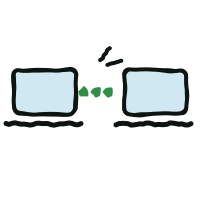
Zaťukej na sousedaKnock on your neighbour
- Zeptej se souseda na jeho adresu a napiš si ji do deníku.Ask your neighbour for their address and write it in your diary.
- V terminálu napiš ping a jeho adresu, třeba ping 192.168.1.23, a Enter.In the terminal type ping and their address, for example ping 192.168.1.23, and Enter.
- Ping ťuká pořád dokola. Zastavíš ho zkratkou Ctrl + C.Ping keeps knocking. Stop it with Ctrl + C.
- Ping ťukne čtyřikrát a sám skončí.Ping knocks four times and stops by itself.
- Na konci řádku je čas, třeba time=3 ms. Tak dlouho trvala cesta tam a zpátky.At the end of each line there's a time, like time=3 ms. That's how long the trip there and back took.
ms je milisekunda – tisícina vteřiny. Počítač s Windows na ťukání neodpovídá, má zamčené dveře. Ťukej na Ubuntu.ms is a millisecond – a thousandth of a second. A Windows computer doesn't answer knocks, its door is locked. Knock on an Ubuntu one.
 3
Blízko a dalekoNear and far
- Zaťukej na počítač v Praze: ping seznam.czKnock on a computer in Prague: ping seznam.cz
- A teď na druhou stranu Země, do Austrálie: ping www.anu.edu.auAnd now to the other side of the Earth, Australia: ping www.anu.edu.au
- Nejdřív si do deníku tipni, pak změř. Kdo odpovídá nejpomaleji?Guess first in your diary, then measure. Who answers slowest?
Zpráva do Austrálie a zpátky uletí přes 30 000 kilometrů. Ani světlo v kabelu to nestihne hned.A message to Australia and back travels over 30,000 kilometres. Even light in a cable can't do that instantly.
 4
Navštiv server průvodceVisit your guide's server
- Průvodce na svém počítači pustil server. Adresu napíše na tabuli.Your guide started a server on their computer. They write its address on the board.
- Otevři prohlížeč a napiš do řádku nahoře http://, adresu, dvojtečku a 8002. Třeba http://192.168.1.10:8002Open the browser and type into the bar at the top http://, the address, a colon and 8002. For example http://192.168.1.10:8002
- Stáhni hru Podzemí a pusť ji podle návodu na stránce.Download the game Podzemí and start it following the steps on the page.
- Tvůj počítač je teď klient – ptá se. Počítač průvodce je server – odpovídá.Your computer is now a client – it asks. Your guide's computer is a server – it answers.
- Doma server průvodce nemáš. Hru si stáhneš tady:At home there's no guide's server. Get the game here:
Každá webová stránka, kterou kdy otevřeš, běží na nějakém serveru. Tenhle je přímo v klubovně.Every web page you ever open runs on some server. This one is right here in the club.
Podzemí ke staženíDownload Podzemí 5
Najdi kamarády v podzemíFind your friends underground
- Napiš své jméno, šipkami vyber zvíře a zmáčkni Enter.Type your name, pick an animal with the arrows and press Enter.
- Vyber místnost průvodce. Když ji nevidíš, vyber „Napsat adresu ručně“ a napiš adresu z tabule.Choose your guide's room. If you can't see it, choose “Napsat adresu ručně” and type the address from the board.
- Počkej v předsíni, až průvodce pustí hru. Pak kopej a hledej ostatní!Wait in the lobby until your guide starts the game. Then dig and look for the others!
Hra na tvém počítači je klient. Celé podzemí žije na serveru průvodce – proto všichni vidíte stejné chodby.The game on your computer is a client. The whole underground lives on your guide's server – that's why you all see the same tunnels.
 6
Ukaž to průvodciShow your guide
- Ukaž svůj vyplněný deník.Show your filled-in diary.
- Řekni, kdo je v Podzemí klient a kdo server.Say who is the client and who is the server in Podzemí.
- Za splněnou misi dostaneš razítko!A finished mission earns you a stamp!

Pro starší: příkazy do termináluFor older kids: terminal commands
| hostname | jméno počítačethe computer's name |
| hostname -I | moje adresa (Windows: ipconfig)my address (Windows: ipconfig) |
| ping | zaťukej na jiný počítačknock on another computer |
| Ctrl + C | zastav, co v terminálu běžístop whatever runs in the terminal |
| tracepath | kudy jde zpráva (Windows: tracert)which way a message goes (Windows: tracert) |
Tajný vchod: kdo jsem a kudy vede cestaSecret entrance: who am I and which way the road goes
- Napiš whoami. Počítač ti řekne, jako kdo jsi přihlášený.Type whoami. The computer tells you who you're logged in as.
- Napiš tracepath www.anu.edu.au. Kolik zastávek má cesta do Austrálie?Type tracepath www.anu.edu.au. How many stops on the way to Australia?
- Napiš whoami. Počítač ti řekne, jako kdo jsi přihlášený.Type whoami. The computer tells you who you're logged in as.
- Napiš tracert www.anu.edu.au. Kolik zastávek má cesta do Austrálie?Type tracert www.anu.edu.au. How many stops on the way to Australia?